Invoice tracking software that shows what’s overdue—fast.
Track invoices by status, due date, and client. Log partial payments, generate PDFs, and follow up with reminder emails—without spreadsheet drift.
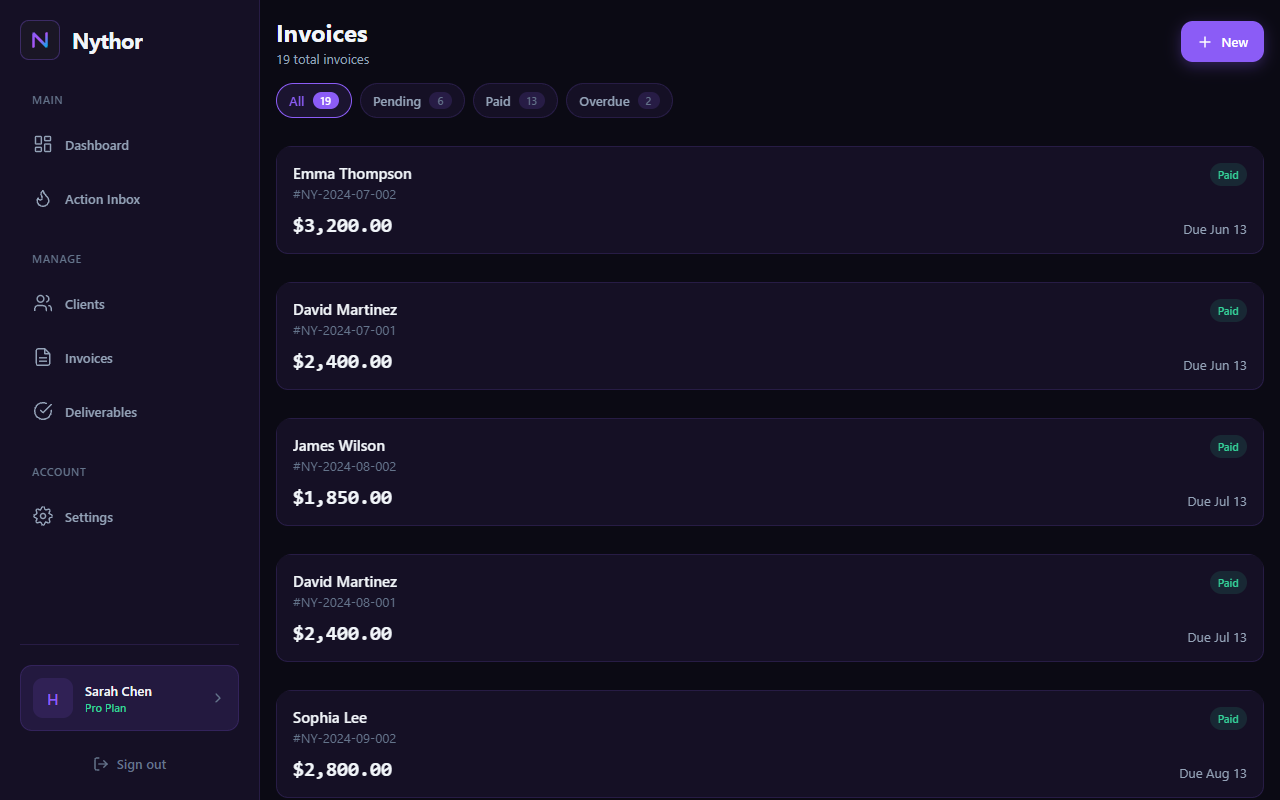
Invoice dashboard with status filters, payment tracking, and client details
Track the invoice lifecycle end‑to‑end
Nythor supports a clean, explicit status timeline so your tracking stays accurate as reality changes.
Status timeline
Move invoices through a clear set of states.
- DRAFT → ISSUED → SENT
- PARTIALLY_PAID → PAID
- VOID when an invoice is canceled
Overdue + due‑soon
See what needs attention—without manual formulas.
- Overdue detection (past due date)
- Due‑soon alerts (within 7 days)
- Outstanding totals by status
Partial payments
Log partial payments and keep balances correct.
- Record a payment amount
- Remaining balance shown automatically
- State updates to partially paid/paid
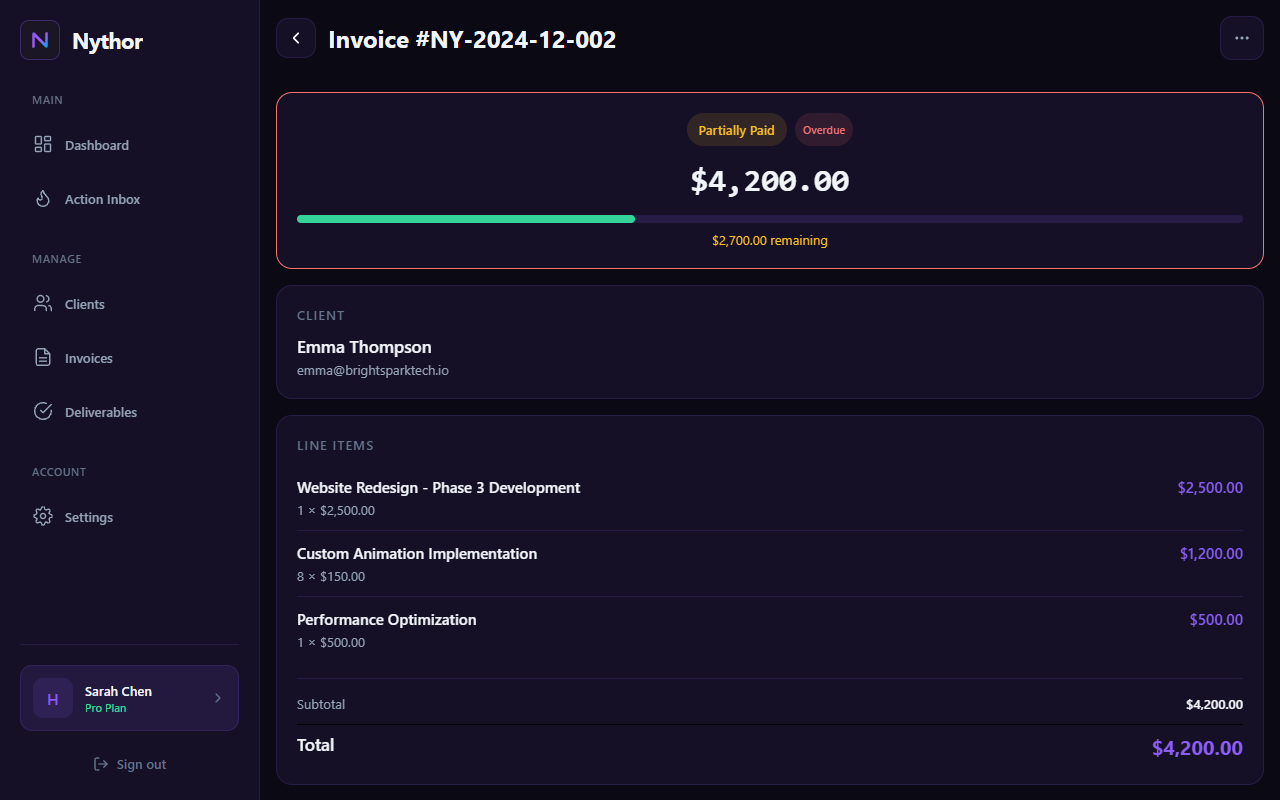
Invoice detail with partial payment tracking and overdue status
Line items, tax, and discounts—without broken totals
Keep invoice totals reliable as you edit: line items roll up into subtotal, then tax/discount are applied consistently.
Line items
Itemized services and rates for professional invoices.
- Qty × rate → line total
- Auto subtotal calculation
- Consistent ordering
Tax presets
Reuse common VAT/sales tax rates instead of retyping them.
- Create presets (name + %)
- Quick-add common rates
- Apply during invoice creation
Discounts
Apply discounts cleanly and keep totals transparent.
- Discount rate + amount
- Clear subtotal/tax/total breakdown
- Accurate remaining balance
Send invoice emails + track delivery
Email invoices and reminders directly from Nythor—and see delivery events like delivered/opened/clicked (plus bounces).
Send invoices
Email an invoice to the client (when the client has an email address).
- Invoice email sending
- Reminder email sending
- Thank-you email after payment (optional flow)
Email activity timeline
Track what happened after sending.
- Sent / delivered / opened / clicked
- Soft/hard bounce tracking
- Per-invoice summary stats
PDF invoices
Generate a PDF invoice for sharing or download.
- Consistent invoice layout
- Client + totals included
- Easy sharing workflow
Invoice tracking questions
Short answers to the most common questions before you switch off spreadsheets.
Do you support partial payments?
Yes. Log partial payments and Nythor updates the remaining balance and invoice state automatically.
How does Nythor decide what’s overdue?
Invoices in sent/partially-paid states are marked overdue when the current date is past the due date.
Can I add line items, tax, and discounts?
Yes. Line items roll up into subtotal, and tax/discount rates apply cleanly so totals stay accurate.
Can I send invoices and reminders by email?
Yes. Send invoice and reminder emails from within the invoice details when a client email address is present.
Can I export my data?
Yes. Paid plans include CSV export for invoices, deliverables, and clients (from Settings).
Start free. Upgrade once.
Free plan includes 3 active clients with unlimited invoices and tasks. Plans from $19/mo or Lifetime Pro $99.