Payment reminders that keep you paid—without awkward follow-ups.
Use a clear reminder cadence before and after the due date, track email delivery/opens/clicks, and avoid duplicate sends—so follow-ups feel consistent and professional.
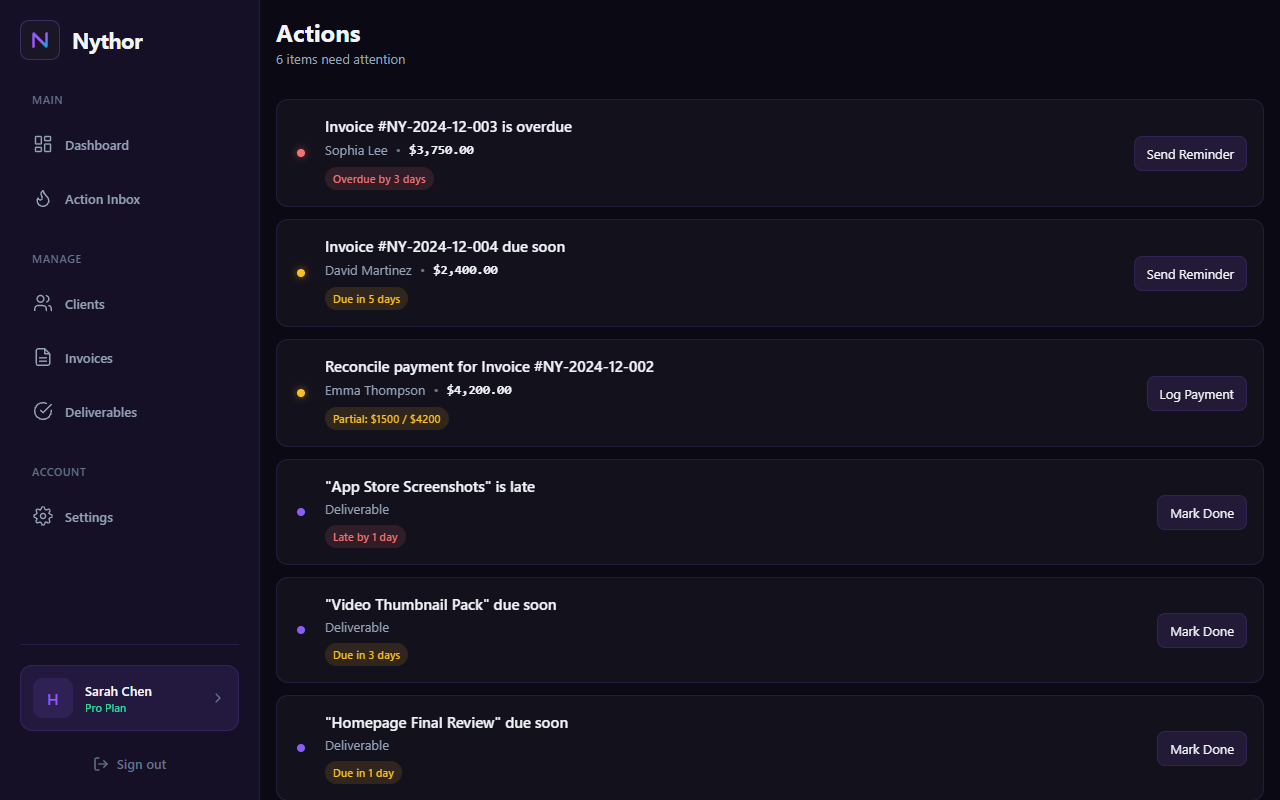
Action Inbox with reminder actions, overdue tracking, and payment logging
A simple schedule that matches how people actually pay
Nythor supports reminders both before and after the due date. Default cadence: 3 days before due, on the due date, then 3/7/14 days overdue.
Pre‑due
Give clients a heads-up before it’s late.
- Default: 3 days before due
- Great for “busy but honest” clients
- Reduces awkward overdue follow-ups
Due day
Keep the invoice top-of-mind on the due date.
- Default: due-day reminder
- Clear subject lines + invoice number
- Consistency beats improvisation
Overdue escalation
Escalate gently, then firmly.
- Default: 3 / 7 / 14 days overdue
- Track what was sent and when
- Reduce “lost thread” chaos
Track delivery + protect your sender reputation
See email events like delivered/opened/clicked, and detect bounced addresses so you can fix bad emails instead of repeatedly sending into a void.
Email activity per invoice
Keep a timeline of invoice + reminder emails.
- Sent / delivered / opened / clicked
- Bounce detection
- Quick “is this reaching them?” clarity
Email health
Protect against repeated bounces.
- Hard bounce → blocked
- Soft bounce thresholds → temporary block
- Auto recovery on successful delivery
Preferences
Control what you receive and what gets sent.
- Marketing + digests + updates
- Client emails (invoice, reminder, thanks)
- Transactional emails remain on
Hi {ClientName} — quick reminder that invoice #{InvoiceNumber} is due on {DueDate}.
Happy to resend if you need it. Thank you!
Hi {ClientName} — following up on invoice #{InvoiceNumber}, now {DaysOverdue} days overdue.
Could you confirm the expected payment date?
Hi {ClientName} — final reminder for invoice #{InvoiceNumber}.
Please advise next steps or a payment date so we can close this out.
Payment reminder questions
Quick clarity on cadence, customization, and avoiding spam.
When should I send invoice reminders?
A solid default is a pre‑due reminder, a due-day reminder, and escalating overdue follow-ups (e.g., 3/7/14 days).
Can I customize the reminder cadence?
Yes. Nythor supports configurable reminder schedules (days before due and days after due).
How do you prevent duplicate reminders?
Nythor logs reminder sends per invoice and reminder type, so the same reminder won’t be sent twice.
Do you track delivery, opens, and clicks?
Yes. Email logs can show delivery/open/click events, plus bounced addresses.
What if a client email address bounces?
Nythor tracks bounce health. Hard bounces can be blocked, and repeated soft bounces can be temporarily blocked to protect deliverability.
Start free. Upgrade once.
Free plan includes 3 active clients with unlimited invoices and tasks. Plans from $19/mo or Lifetime Pro $99.