Nythor vs Spreadsheets
You shouldn't need a spreadsheet to know who owes you money. Here's how Nythor compares to tracking invoices in Google Sheets or Excel.
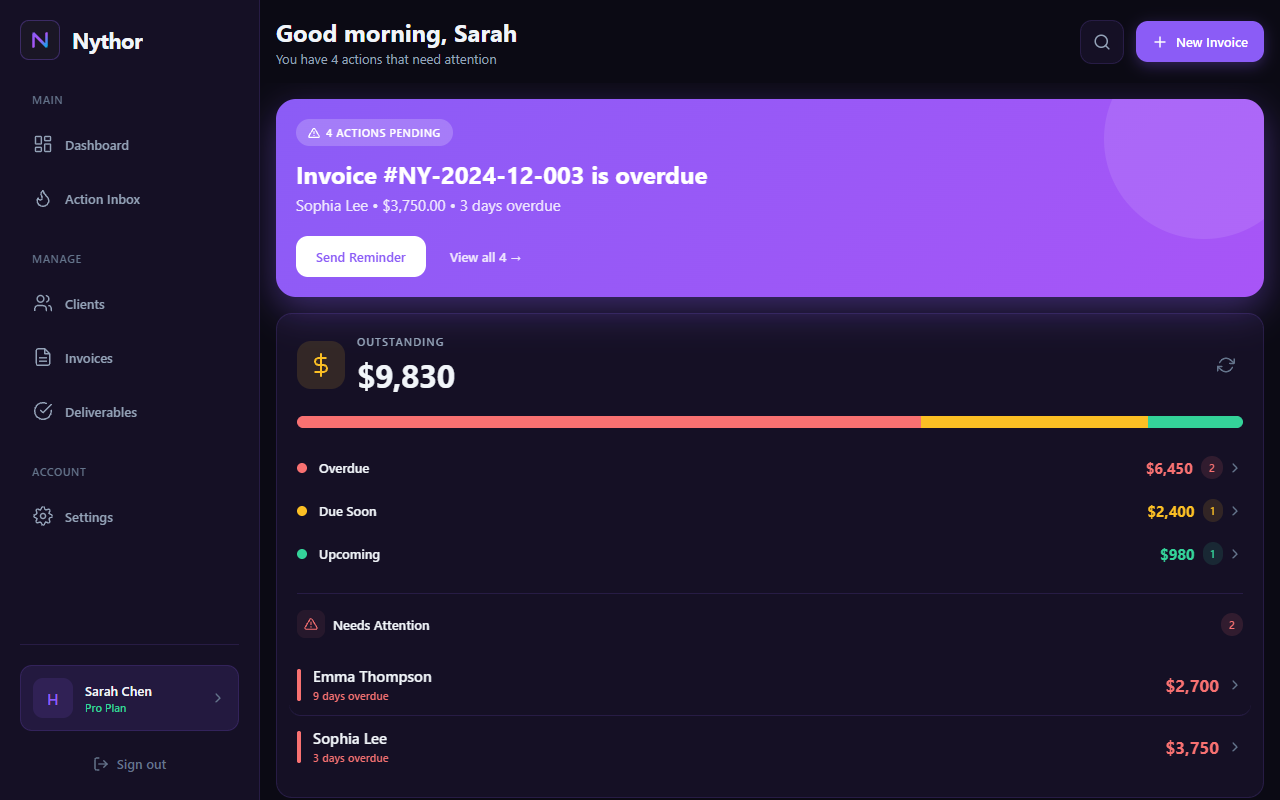
Nythor dashboard: What spreadsheets can't show you at a glance
| Feature | Nythor | Spreadsheets |
|---|---|---|
| Automatic payment reminders | ✓ Built-in | ✗ Manual |
| Due date alerts | ✓ Automatic | ✗ None |
| Invoice status tracking | ✓ Real-time | ⚠ Manual updates |
| Partial payment logging | ✓ Auto-calculates | ⚠ Manual math |
| Action Inbox (what to do next) | ✓ Priority-sorted | ✗ None |
| PDF invoice generation | ✓ One-click | ✗ Separate tools |
| Email delivery tracking | ✓ Built-in | ✗ None |
| Deliverable tracking | ✓ Integrated | ⚠ Separate sheet |
| Client management | ✓ Built-in CRM | ⚠ Basic lists |
| Mobile access | ✓ Responsive web | ⚠ Clunky on mobile |
| Setup time | ✓ Minutes | ✗ Hours |
| Price | Free → $19/mo or $99 lifetime | Free |
Why Creators Switch from Spreadsheets
Spreadsheets work—until they don't. Most freelancers start tracking invoices in Google Sheets because it's free and familiar. But as your client list grows, spreadsheet problems multiply:
- Forgetting to update payment status after invoices get paid
- Missing due dates because there are no automatic alerts
- Sending duplicate reminders (or forgetting to send any)
- Losing track of partial payments and remaining balances
- Spending hours each week on manual data entry
Nythor solves these problems by automating the busywork. Your Action Inbox shows exactly what needs attention, payment reminders go out automatically, and partial payments update balances in real-time.
What Nythor Does Better
Action Inbox: Instead of scrolling through rows, you see a priority-sorted list of what needs attention: overdue invoices, due-soon payments, and late deliverables.
Automatic Reminders: Set up pre-due and post-due reminders once. Nythor sends them on schedule and tracks delivery—no manual follow-up required.
Invoice States: Draft → Sent → Partially Paid → Paid. Status updates happen automatically based on actions, not manual cell edits.
Deliverables: Track what you owe clients alongside what they owe you—all in one dashboard.
Frequently Asked Questions
Can I import my existing spreadsheet data?
Yes. Nythor supports CSV imports, so you can bring your existing client and invoice data from Google Sheets or Excel.
Is Nythor really better than a free spreadsheet?
If you only have a few invoices per month, a spreadsheet might be fine. But once you're juggling multiple clients, payment dates, and deliverables, Nythor saves hours of manual tracking—and prevents expensive mistakes like missing payments.
What if I want to keep using spreadsheets for reports?
No problem. Nythor lets you export data as CSV anytime. Use Nythor for daily tracking and reminders, then export to spreadsheets for custom reporting.
How is the free plan limited?
Free includes 3 active clients with unlimited invoices and tasks—enough to test the workflow. Upgrade to Starter ($19/mo) or grab Lifetime Pro at $99.
Is this a replacement for accounting software?
No. Nythor focuses on invoice tracking, payment reminders, and deliverables—not tax prep or bookkeeping. It complements accounting tools like QuickBooks or Wave.
Ready to Ditch the Spreadsheet?
Start free. See why creators are switching from manual tracking to automated invoice management.